New here?
You’re in the right place. Find a simple guide to explore, post, and connect with others.

You’re in the right place. Find a simple guide to explore, post, and connect with others.

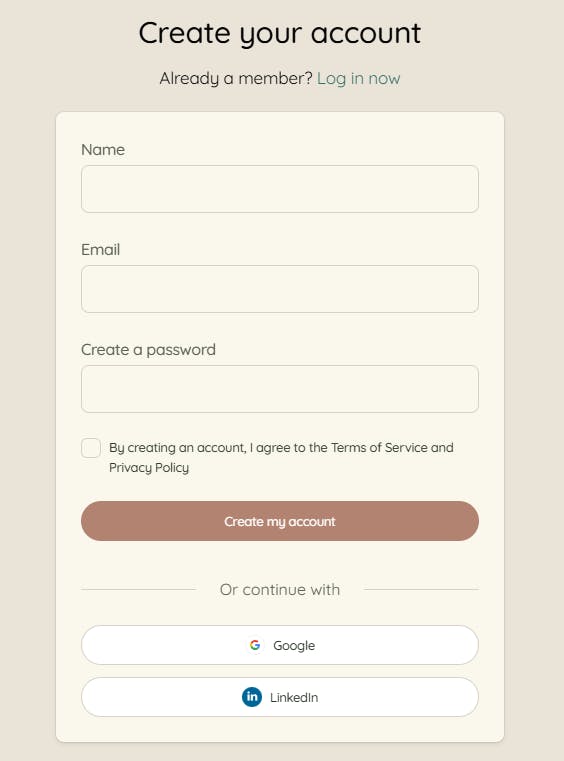
Locate the Sing Up button at the top right of the screen.

Step 1: Head to Sing Up. You can create a new account, or quickly sign in with Google or LinkedIn.
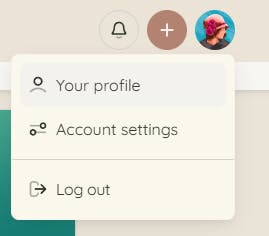
Step 2: Set up your profile.
Click your Profile icon (top right), then select Your Profile to personalize your information.
Reminder: You can also manage your privacy and advanced preferences under Account Settings.

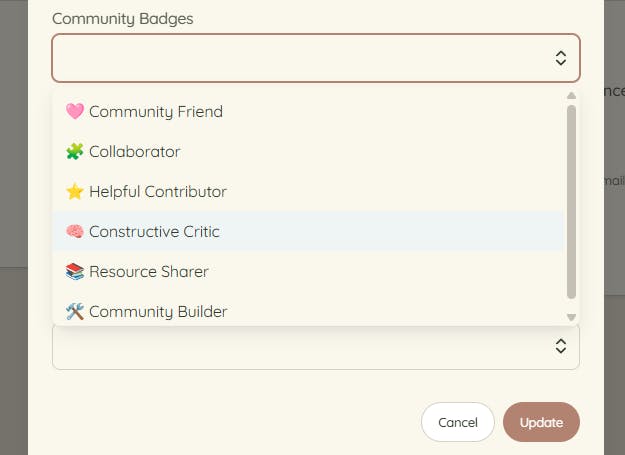
Also, don’t forget to select your Community Badges to reflect your personality and your role within the community, once your are on your profile clicking on Edit Profile.
Step 3: Explore the K&B Community.
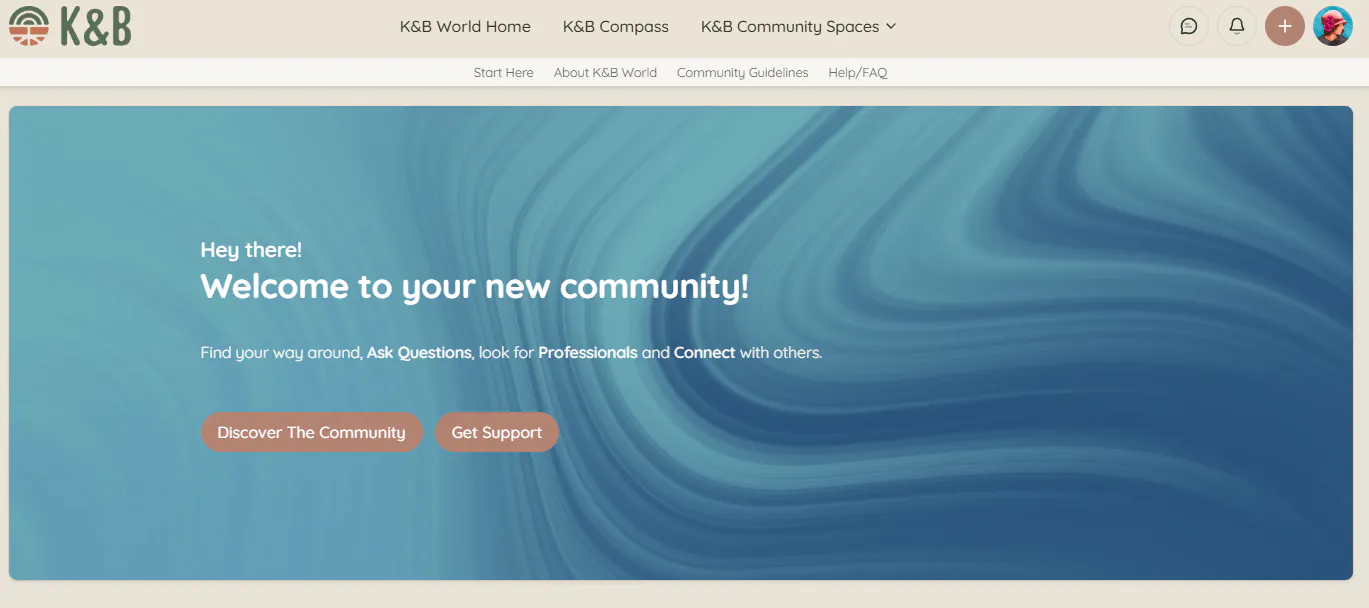
In the top navigation bar, click K&B Community—this is where you can connect, find professionals and services, browse reviews and recommendations, and share your own posts and ratings.
.

Step 4: Use the top navigation menu.
K&B World Home: Takes you directly to our main website.
K&B Compass: Access our professional directories, resources and events.
K&B Community Spaces: Explore the different spaces to connect with the Community based on your Interests.
Start Here: You’re here now—your quick guide to getting started.

Step 5: Review the Community Guidelines.
Don’t forget to read our Community Guidelines so you know what you can—and can’t—post.

Step 6: Visit Help/FAQ.
Lastly, don’t hesitate to use the Help/FAQ section if you need anything—our team will be happy to help.